
Accounts payable services for Workday customers
Workday-native accounts payable automation that eliminates manual invoice and payment processing — while maintaining full control within your existing Workday tenant

Many AP teams are caught in the same cycle: entering invoices manually, chasing approvals, fielding vendor inquiries, and racing against payment deadlines. Traditional AP automation tools promise a way out but often require separate systems and data synchronization. They force your team to work outside of Workday — adding complexity rather than reducing it.

Hear directly from our customers

“OSV was the ideal option. Their AP Automation service would allow us to be more efficient and make invoice processing less time-consuming. Plus, we knew we wouldn’t lose access and control of our data while they worked inside of our Workday application."
Regional Assistant Accountant, OVO Energy

“OSV has saved us the time, yes, but also people. So [in the] beginning, we had three people doing bank recs, and we were able to move that down to one person and repurpose those other two people into doing other aspects of the accounting world that needed more focus than bank reconciliations.”
Director of Platform Technology and Business Intelligence, Innisfree Hotels

“Because we are Workday clients and OSV is in our tenant, it also just speeds up the process. I don’t have to wait for an overnight transmission file to happen. It’s instant once it’s processed through OSV; it’s put right into our tenant. It’s so instant.”
Director of Procure-to-Pay Operations, Unum
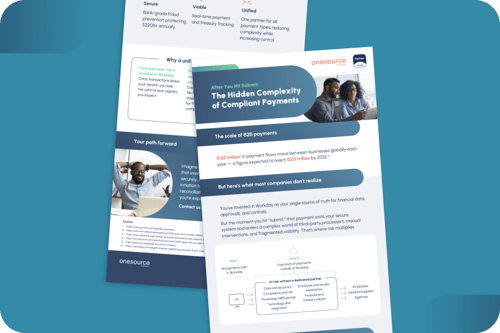
What happens to your payments after you hit “submit”?
You’ve chosen Workday as your source of truth for financial data, approvals, and controls. But the moment a payment leaves your tenant, it enters a world of third-party processors, manual handoffs, and fragmented visibility. This is where the risk multiplies.
Payment fraud hit 79% of organizations in 2024. Inaccurate data costs U.S. businesses $600B annually. Three in four companies experience late B2B payments, and 30% of all fraud losses in 2024 came from check fraud alone.
Understanding what happens between “submit” and settlement is the first step toward closing those gaps.

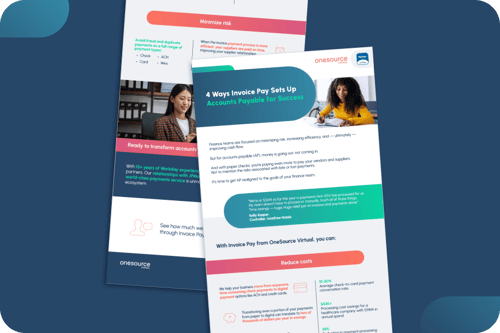
Four ways invoice pay sets up AP for success
Finance teams are laser-focused on minimizing risk, increasing efficiency, and improving cash flow. But AP is where the money goes out — and traditional payment methods like paper checks add cost and risk, instead of reducing them.
Understanding how modern invoice pay solutions support those broader finance objectives can help AP leaders make a stronger case for change and show exactly where the opportunity lies.

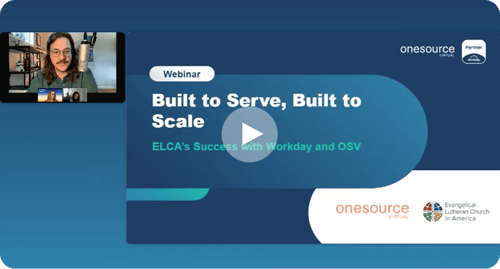
Built to serve, built to scale
For nonprofit organizations, every dollar and every minute counts. When the Evangelical Lutheran Church in America (ELCA) set out to modernize their vendor payment process, they needed a solution that could simplify accounts payable services without sacrificing visibility or control inside Workday.
Their story is a useful example of how organizations with lean finance teams and complex operational needs approach AP modernization.

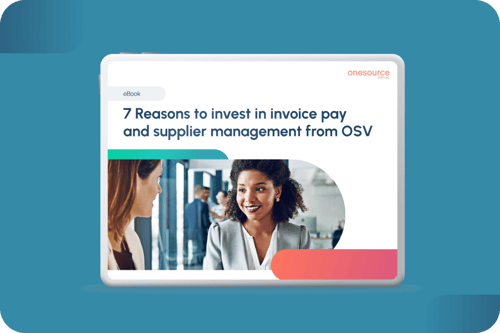
Seven reasons to invest in invoice pay and supplier management
The case for modernizing AP usually comes down to three things:
- Maximizing profitability
- Increasing efficiency
- Reducing risk
But making that case internally — and understanding what “better AP” actually looks like in practice — demands a clearer picture of what’s possible.
We walk through seven distinct ways that Workday-native invoice pay and supplier management can impact your organization, from substantial gains and simplified processes to improved supplier relationships and fraud protection.

Common questions
Will AP automation work with our existing Workday setup, or do we need to change our configuration?
Our solution adapts to your current Workday configuration — approval hierarchies, coding structure, payment terms, vendor master data, and business process flows. We configure the automation around how you already work, not force you to redesign proven processes.
What kind of support is included with AP automation?
You receive a dedicated, named Workday specialist who monitors your invoice queue daily, resolves exceptions, answers vendor questions, and provides quarterly business reviews. Support includes configuration updates as your business changes, best-practice recommendations, and direct access to specialists via email and scheduled calls.
What happens to our current AP team when we automate?
Teams typically shift from manual data entry to higher-value activities, such as vendor relationship management, early payment discount capture, spend analysis, process improvement, and exception resolution for complex invoices. Most organizations maintain headcount while significantly increasing processing capacity, handling 2-3x invoice volume with the same team size.
Ready to streamline and scale your AP?
Free your AP team from manual work while keeping full visibility and control inside your Workday tenant.


Ready to simplify direct deposit updates?




.svg)

.svg)
.svg)